Kia Digital Key

Kia Digital Key is an amazing convenience feature for accessing and driving your Kia using your compatible smartphone or smartwatch. Remotely sharing Kia Digital Key with family and friends is incredibly easy.

Kia offers two forms of Digital Key services:
  • Kia Digital Key 2 provides the full experience of using your compatible smartphone as a key. Click here for more information.
  • Kia Digital Key 2 Touch provides the core digital key experience using NFC technology. Click here for more information.

What is Digital Key 2?

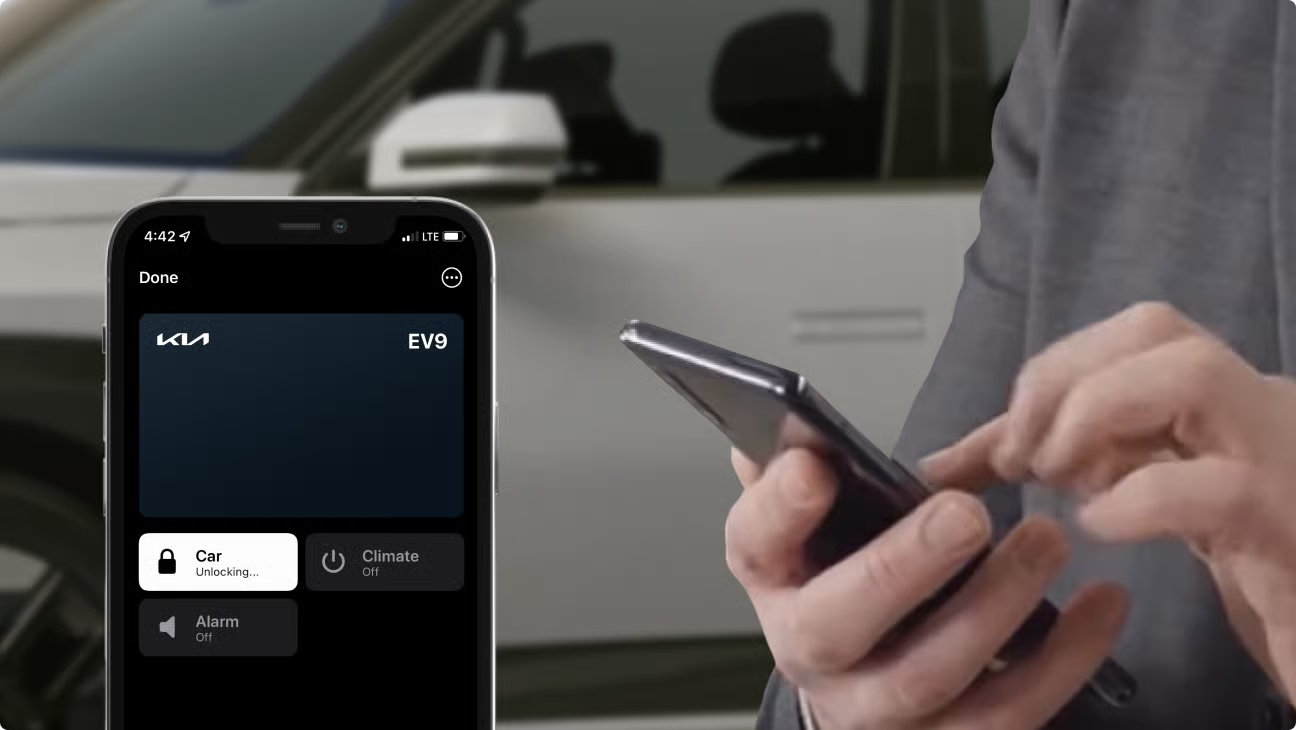
Kia Digital Key 2 utilizes NFC, Bluetooth, and Ultra-wideband technology to provide enhanced vehicle accessibility through your compatible smartphone. Use your smartphone like a regular Key fob with remote commands, allowing you to remotely lock, unlock, and start your vehicle when within close proximity to your Kia. Digital Key 2 also allows passive entry, allowing you to unlock and start your car, without having to take your phone out of your pocket.
Additionally, Kia Digital Key 2 allows you to simply and conveniently share your digital key with friends and family remotely.
  • With the passive entry feature, your vehicle will unlock as you approach your vehicle with your compatible phone.
  • Start your vehicle by simply having your phone with you
  • Access remote commands* with the smartphone’s ultra-wideband (UWB), position-based technology
  • Share digital keys with family and friends remotely with specific access levels
  • Available for Apple Wallet, Samsung Wallet, and Google Wallet
What is Digital Key 2 Touch?

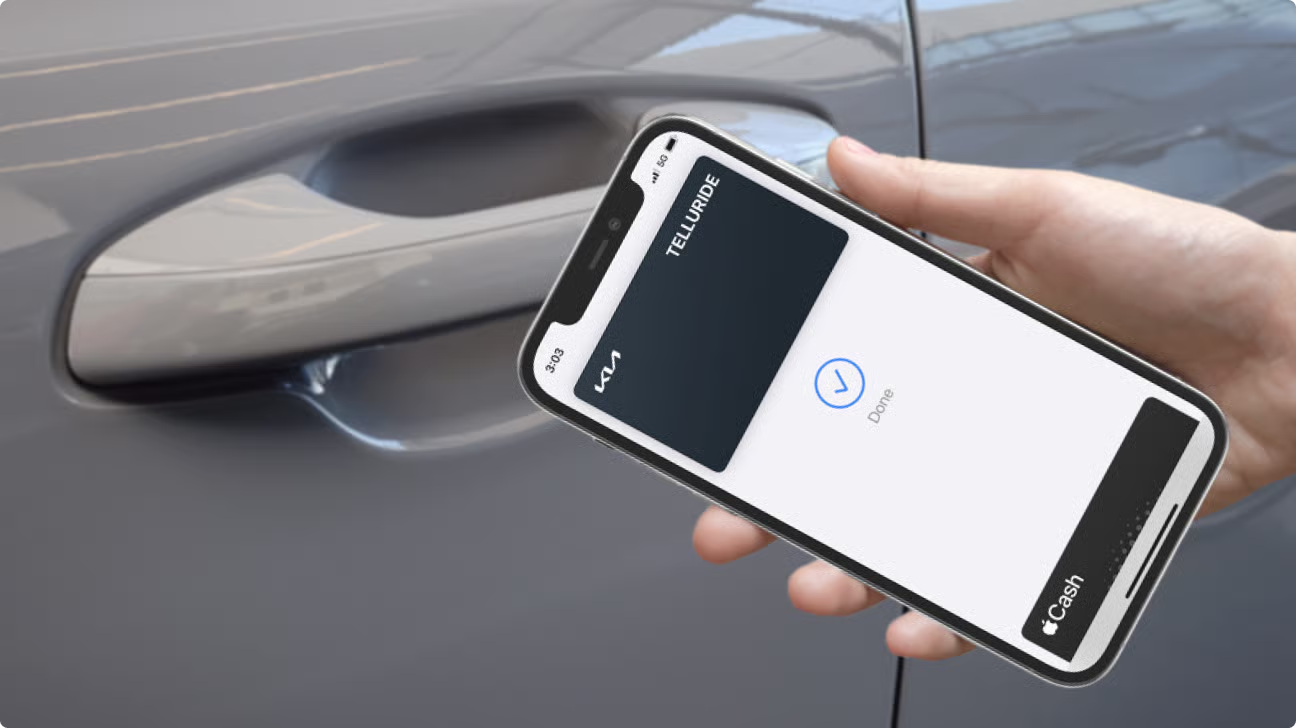
Kia Digital Key 2 Touch utilizes NFC technology, offering compatibility with a broad range of devices. Digital Key 2 Touch allows you to use your compatible smartphone like an NFC Card Key, just like the ones you may sometimes use at a resort on vacation. By allowing your smartphone to also serve as a card key pass, you have the convenience of being able to use it to lock, unlock, and start your vehicle.
Additionally, Kia Digital Key 2 Touch allows you to simply and conveniently share your digital key with friends and family remotely.
  • NFC technology allows you to unlock/lock your vehicle with your compatible phone just like a hotel card key
  • Start your vehicle by placing your phone in the charging pad
  • Share digital keys with family and friends remotely with specific access levels
  • Available for Apple Wallet and Samsung Wallet

Compatibility

Kia Digital Key 2

Vehicle Availability:
Kia Digital Key 2 is available with the 2024 EV9.
Device Compatibility:
Kia Digital Key 2 works with compatible Apple, Samsung, and Google smartphones, as well as Apple smartwatches, including:
  • Apple iPhones: iPhone 11, iPhone 11 Pro, iPhone Pro Max, iPhone 12, iPhone 12 Mini, iPhone 12 Pro, iPhone 12 Pro Max, iPhone 13, iPhone 13 Mini, iPhone 13 Pro, iPhone 13 Pro Max
  • Apple Watches: Apple Watch Series 8
  • Google Phones:Pixel 7 Pro
  • Samsung Phones: Galaxy S21 +5G, Galaxy S21 Ultra 5G, Galaxy Z Fold 2 5G, Galaxy Note 20 Ultra 5G, Galaxy Z Fold 3 5G, Galaxy S22 + 5G, Galaxy S22 Ultra 5G
Note: All devices should have the latest version of their respective operating systems (iOS, Android) and respective Wallet Apps (Apple Wallet, Google Wallet, Samsung Wallet)

Kia Digital Key 2 Touch

Vehicle Availability:
Kia Digital Key 2 Touch is available on select trims for the following vehicles:
  • 2024 Niro
  • 2024 Seltos
  • 2024 Telluride
  • 2023 Niro
  • 2023 Seltos
  • 2023 Telluride
Check availability on the Kia Connect Availability page.
Device Compatibility:
  • Apple iPhones: XS or later; Apple Watches Series 6 or later
  • Google Phones: Pixel 6, Pixel 6 Pro, Pixel 7, Pixel 7 Pro
  • Samsung Galaxy Phones: S20 or later, Note20 5G or later, Z Flip 5G or later, or Fold 2 or later.
Note: All devices should have the latest version of their respective operating systems (iOS, Android) and respective Wallet Apps (Apple Wallet, Samsung Wallet)

FAQs

 What Apple devices are compatible with Kia Digital Key 2.0

iPhones: Apple iPhone 11 or newer (excluding SE)
Watches: Apple Watches Series 6 or newer (excluding SE)
All Apple devices should be on the latest version of iOS.

What Samsung devices are compatible with Kia Digital Key 2.0?

The following Samsung devices support Kia Digital Key 2.0:

Samsung Phones:
Galaxy S21+ or newer
Galaxy S21 Ultra or newer
Galaxy Note 20 Ultra or newer
Galaxy Fold 2 or newer
Samsung devices should be on the latest version of the Android operating system and Samsung Wallet app.
Watches: Not currently available for Samsung watches.

What Google devices are compatible with Kia Digital Key 2.0?

The following Google devices support Kia Digital Key 2.0:

Google Phones:
Pixel 6 Pro or newer
Pixel 9 Pro XL or newer
Pixel 9 Pro Fold or newer
Pixel Fold
Google devices should be on the latest version of the operating system and Google Wallet app.
Watches: Not currently available for Google watches.

What other Android devices are compatible with Kia Digital Key 2.0?

The following Motorola devices support Kia Digital Key 2.0:

Motorola Phones:

Edge 50 Ultra or newer
Razr 60 Ultra or newer
Android devices should be on the latest version of the operating system and respective Wallet app.
Watches: Not currently available for Motorola watches.

What are Kia Digital Key 2 Touch’s benefits and use?

Kia Digital Key 2 Touch technology turns your compatible iPhone or Android smartphone or watch into a digital key stored in your Apple Wallet or Samsung Pass Wallet.

The digital key can lock/unlock and start your Kia.

Which vehicles are equipped with Kia Digital Key 2 Touch?

Eligible Kia vehicles that are Connect vehicles enrolled in the Kia Connect Lite package or higher have the Kia Digital Key 2 Touch feature. Check the Kia Connect Availability page for specific models and trim levels.

Can Kia Digital Key 2 Touch link to my driver profile?

Yes, Kia Digital Key 2 Touch allows you, as the owner, to link to the Driver 1 Profile in your vehicle. You can have your customized settings ready for you when you unlock the doors and get in.

Can Kia Digital Key 2 Touch link to secondary driver profiles?

At this time, Kia Digital Key 2 Touch only allows the owner to link to a driver profile.

How do I provide Kia Digital Key 2 Touch access to others?

Owner can share keys with family and friends who are using the same type of device (iPhone to iPhone; Samsung to Samsung). Keys are shared directly from Kia Digital Key 2 Touch in Apple Wallet or Samsung Pass.

Can I revoke/cancel a previously issued Kia Digital Key 2 Touch?

Yes. The owner can navigate to their native wallet app and find a list of Shared Users, then click upon a Shared User and cancel their access. The Shared User will see that their digital key access has been removed.

What kind of vehicle access control do I have for shared Kia Digital Key 2 Touch?

Kia Digital Key 2 Touch allows you to grant full access to your vehicle (unlock, lock, and drive) or limited access to unlock and lock your vehicle.

What about if I change my smartphone?

If you change your smartphone with the same type of phone (iPhone to iPhone; Samsung to Samsung), you can delete your original owner key in the vehicle infotainment center and pair the new smartphone by going to the Digital Key section in the Kia Access app and following the instructions provided.

What if my smartphone is stolen?

For Apple iPhone Users: Sign in to iCloud.com/find. Or use the Find My app on another Apple device that you own, and mark your device as lost.

For Samsung Users: Access the “Find My Mobile” function on Samsung’s website to begin searching for their phone. Kia Digital Key 2 Touch will be deleted as part of the overall account locking process.

Alternatively, the Kia owner can delete the Digital Key directly from their infotainment system inside the vehicle. The Kia Digital Key 2 Touch service may also be deactivated from Kia Owner’s Portal or the Kia Access app.

What happens to my Kia Digital Key 2 Touch keys if I sell my Kia?

You should delete your Kia Digital Key 2 Touch profile before selling your Kia to ensure all digital keys are automatically removed. You can do this in the infotainment system center inside the vehicle or from your Kia owner’s account.

Can I use Kia Digital Key 2 Touch if my smartphone/watch has no power?

Yes – there is a window of time where the digital key will still work in phone

What Apple devices are compatible with Kia Digital Key 2 Touch?

iPhones: Apple iPhone XS or newer phones can support Kia Digital Key 2 Touch.
Watches: Apple Watches Series 6 or later can support Kia Digital Key 2 Touch.
All Apple devices should be on the latest version of iOS.

What Samsung devices are compatible with Kia Digital Key 2 Touch?

The following Samsung devices support Kia Digital Key 2 Touch:

Samsung phones:

Galaxy S20 or later
Galaxy Note20 5G or later
Galaxy Z Flip 5G or later
Galaxy Fold 2 or later
Samsung devices should be on the latest version of the Android operating system and Samsung Pass app.
Samsung smartwatches: Not currently available for Samsung smartwatches.

What other Android devices are compatible with Kia Digital Key 2 Touch and Digital Key 2?

Brand Phone Model Feature Support (NFC / UWB)
OnePlus OnePlus 11 Kia Digital Key 2 Touch
OnePlus Open Kia Digital Key 2 Touch
OnePlus 12 Kia Digital Key 2 Touch
OnePlus 13 Kia Digital Key 2 Touch
Oppo Find N3 Flip Kia Digital Key 2 Touch
Find N3 Kia Digital Key 2 Touch
Find N5 Kia Digital Key 2 Touch
Find X8 Kia Digital Key 2 Touch
Find X8 Pro Kia Digital Key 2 Touch
Motorola Edge 50 Ultra Kia Digital Key 2
Razr 50 Ultra Kia Digital Key 2 Touch
Razr 60 Ultra Kia Digital Key 2

What Google devices are compatible with Kia Digital Key 2.0 Touch?

The following Google devices support Kia Digital Key 2.0 Touch:

Google Phones:
Pixel 6 or newer
Google devices should be on the latest version of the operating system and Google Wallet app.

Watches: Not currently available for Google watches.

What other Android devices are compatible with Kia Digital Key 2.0 Touch?

The following additional Android devices support Kia Digital Key 2.0 Touch:

Motorola Phones:
Razr 50 Ultra or newer
OnePlus Phones:
OnePlus 11 or newer
OnePlus Open
Oppo Phones:
Find N3 or newer
Find N3 Flip or newer
Find X8 or newer
Android devices should be on the latest version of the operating system and respective Wallet app.

Watches: Not currently available for Android watches.

What if I have no network coverage on my phone?

Kia Digital Key 2 Touch uses Near Field Communication (NFC) to access your vehicle. No network coverage is needed after the initial set up.

How many people can I share Kia Digital Key 2 Touch with?

You can share digital key with up to three (3) people at a time.

Kia Dealer Network

Locate an authorized Kia dealer near you and get expert support for sales, service, and ownership.

Find your Kia

Step into the Kia experience today. Explore our latest models and connect with our expert team to find the Kia that fits your lifestyle and driving needs.