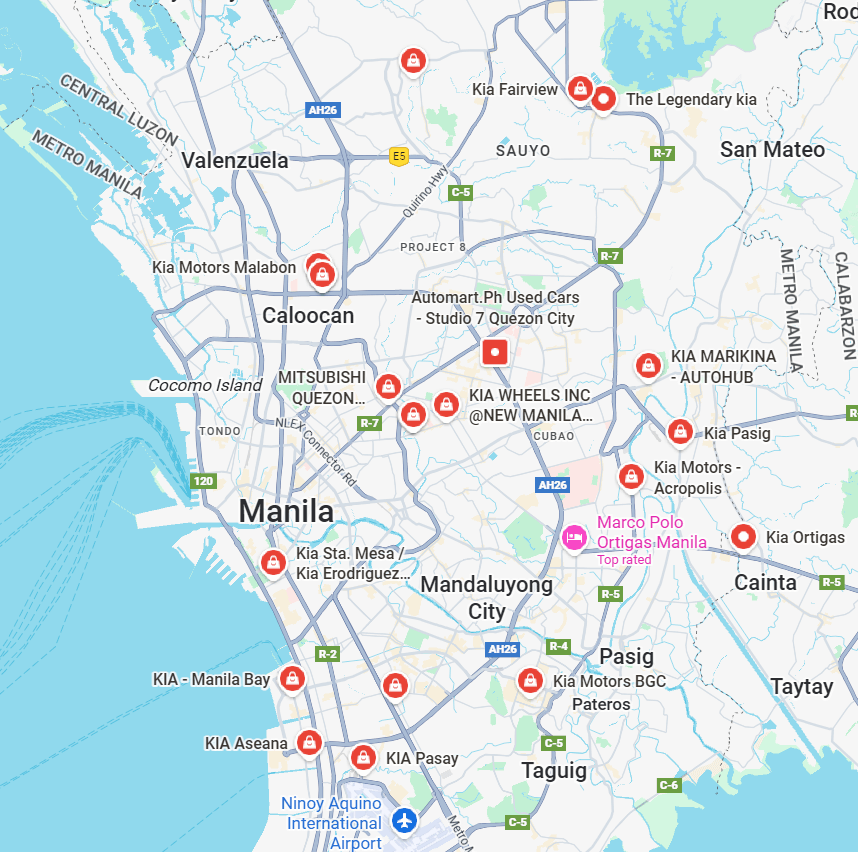
Kia Dealer Network
Locate an authorized Kia dealer near you and get expert support for sales, service, and ownership.
Monthly/annual digital features and services subscriptions need to be cancelled and the features must be removed on your vehicle before deactivating Kia Connect.
Digital features cannot be transferred from one vehicle to another.
Purchased digital features can only be used in the vehicle in which they were purchased. Transfer to another vehicle is not available.
After purchasing the feature in Kia Connect Store through Kia Owners Portal or Kia Access App, the installation starts immediately, and when car ignition is turned on, you can see an installation pop-up window.
Depending on the network coverage in your area, it could take about 1 minute to 5 minutes for completing the installation.
Your local Authorized Kia Dealer can furnish this information. You can obtain Kia Dealer locations and contact information by clicking HERE, or by clicking on the 'Dealer Locator' link at the top right portion of our website homepage. You may also view incentives and how to qualify for them on our website by clicking HERE, or by clicking on the 'SPECIAL OFFERS' link at the top of the homepage of this website. You may also contact Kia Consumer Affairs via this website by clicking HERE, or by clicking on the 'Contact Kia' link at the bottom of our website homepage. After registering your Kia, you will be able to log in to the Consumer Assistance Center where you can send us your questions or comments. You may also contact the Kia Consumer Assistance Center by calling 1-800-333-4542.
Currently, Kia is offering Driving Score with the following vehicles:
Apple CarPlay™ and Android Auto™ are only available on vehicles equipped with Kia connect eServices with 7" touch-screen display or Kia connect eServices with Premium Navigation and 8" touch-screen display.If the vehicle has one of the above head units press the "Setup" button/hard key. Scroll down (Kia connect eServices with Premium Navigation and 8" touch-screen display) or to the side (Kia connect eServices with 7" touch-screen display), press the "Phone Projection or Connectivity" button and see if there is a selection for Apple CarPlay™ or Android Auto™.
Dealer locations and contact information by clicking HERE, or by clicking on the 'Dealer Locator' link at the top right section of our website homepage. You may also contact the Kia Customer Care Team via this website by clicking HERE, or by clicking on the 'Contact Kia' link at the bottom of our website homepage. Once you register with us, you will be able to log in to the Kia Customer Care Team where you can send questions or comments. You may also contact the Kia Customer Care Team by calling 1-800-333-4542.
Charging stations can be located through the Kia Access app or the vehicle’s navigation system, if equipped. Kia Charge Pass is available in the Kia Connect store to help you find charging stations, start charging sessions, and track your public history conveniently in your Kia Access app.
Please check your Kia type via the Kia Connect Availability page on Kia Owner’s Portal.
Vehicles cannot be ordered directly from Kia America. Please contact your local Authorized Kia Dealer to purchase a Kia vehicle. You can obtain Kia Dealer locations and contact information by clicking HERE, or by clicking on the 'Dealer Locator' link at the top right portion of our website homepage.
Charging sessions completed through Kia Charge Pass will be paid by the credit card on file in the Kia Access App.
The driving score is calculated with a proprietary algorithm that evaluates speed, braking, acceleration, and overall driving behavior. The algorithm considers your driving habits and mileage traveled and assigns a score accordingly. You may refer to the Kia Connect Terms of Service (https://owners.kia.com/content/owners/en/terms-of-service.html) for more information.
Kia Charge Pass is available for you to use if you have completed the sign up process, have a valid payment method on file, your account is in good standing, and you have an active Kia Connect subscription.
Congratulations on the purchase of your new Kia vehicle. If you have not received any documents from the sale, please contact your selling dealer. You can get Kia Dealer locations and contact information by clicking HERE, or by clicking on the "Dealer Locator" link at the top right section of our website homepage.
Instructions vary by head unit and are dependent on whether it has a touch screen or non-touch screen display. Start by pressing the "SETUP" hard/soft key, select "Bluetooth" and/or "Bluetooth Connections," and then proceed to the screen which allows the user to select "Add New".
Ensure Bluetooth® wireless technology is turned "on" on your phone.Press the CALL button on the steering wheel or the PHONE hard key on the radio.In the Bluetooth® menu of your phone, select Search for Bluetooth® Devices. Select the name of your vehicle (KIA) displayed on your phone.Follow the instructions on your device to confirm the passkey displayed. Press Ok or Pair to complete pairing. The contact download may take a few minutes.Be sure to allow phonebook download and future auto connection on your phone.For any questions regarding the features of your vehicle, please contact your preferred Kia dealer or Kia consumer Affairs. (800) 333-4542.
In order to generate your driving score, your driving data is shared with a third-party partner. You may find more information on how your data is shared by referring to the Kia Connect Privacy Policy.
Your driving data is not shared with insurance providers unless (1) you consent to sharing data when enrolling to the Usage-Based Insurance (“UBI”) Program and (2) consent to share the data when requesting an insurance quote on select insurance providers’ websites.
You can access the Kia Connect Store after activating Kia Connect on your EV9.
When using voice recognition to place a call, speak in a natural, moderate tone, with clear pronunciation. The system may have trouble recognizing commands if you speak too soft or too loud.Ensure all windows and sunroof are closed and that the climate control system fan speed has been lowered to reduce noise in the cabin.When storing contact names, use full names versus short or single syllable names ("John Smith" vs. "Dad" or "Smith Residence" vs. "Home").Avoid using special characters, emoji?s and hyphenated names in your contact list (@, &, #, /, -, *, +, etc.).Avoid using acronyms ("Emergency" vs. "ICE" or "In Case of Emergency") or words with all capital letters.Spell words completely, no abbreviations ("Doctor Smith" vs. "Dr. Smith").Always wait for the beep before speaking any commands.Press the talk button and say "Help" to get a list of available commands.The voice recognition system may have difficulty understanding some accents or uncommon names.
To learn more about the Kia Connect feature availability in a vehicle, please go to: Kia Connect Availability
Please check for Kia eServices availability on your vehicle by going to the Kia Connect Availability page on Kia Owner’s Portal.
Name, address, phone number, email address, vehicle identification number (VIN), and driving data from your vehicle that records the time of drive, speed, braking, and acceleration. Security protocols are in place to help safeguard your personal information.
Kia Charge Pass25 gives you access to thousands of charging stations nationwide with the ability to conveniently start EV charging and manage your charging sessions. Kia Charge Pass is a free feature accessible only through Kia Connect.
Kia Connect is Kia’s suite of connected vehicle services and features designed to provide you with more convenience, comfort, and connectivity. Paired with the Kia Access App1, you can enjoy information and remote features2 in the palm of your hand.
Click here to explore some Kia Connect feature highlights in Kia Access app.
Kia eServices is Kia’s suite of connected vehicle services and features designed to provide you with more convenience, comfort, and connectivity.
A driving score can provide insight into your driving behavior by looking at various factors over time.
Reviewing your weekly driving score can help you to identify specific driving habits or behaviors to improve your driving score.
You must have a Kia EV or PHEV model with an active Kia Connect subscription. Click here to choose the perfect Kia Connect plan for you! For Kia models 2025 and onward, a 3-year complimentary Kia Connect subscription is available.
It is an online store on the Kia Access App and the Kia Owner Portal where you can purchase Digital Features and Services for your vehicle.
Kia eServices requires a compatible phone to be connected to the vehicle via a USB cable. Kia eServices provides features such as My POIs, Vehicle Diagnostics, Parking Minder, and more. Kia Connect is an embedded system with a modem built into the vehicle that supports all the functionalities of Kia eServices plus a variety of features like remote commands, Find My Car, and many more through Kia Access App and Kia Owner’s Portal.
Kia eServices requires a compatible phone to be connected to the vehicle via a USB cable. Kia eServices provides features such as My POIs16, Vehicle Diagnostics17 Parking Minder9, and more, accessed through the Kia eServices app. Kia Connect is an embedded system with a modem built into the vehicle that supports all the functionalities of Kia eServices plus a variety of features like remote commands2, Find My Car10, and many more through the Kia Access app and Kia Owner’s Portal.
All Kia EV and PHEV models and trims are eligible to use Kia Charge Pass with a Kia Connect Subscription.
Please contact your local Authorized Kia Dealer for actual retail prices, and any fees and charges that may apply. You can obtain Kia Dealer locations and contact information by clicking HERE, or by clicking on the 'Dealer Locator' link at the top right portion of our website homepage. The Manufacturers Suggested Retail Price (MSRP) can be found under the 'VEHICLES' link on our website homepage. Simply point your cursor at a vehicle on the list to view the starting MSRP. You may also click on any vehicle and then select the 'BUILD YOUR VEHICLE AND PAYMENT ESTIMATOR' link on the left side of the page to view the MSRP for a particular trim level and options.
Eligible Kia vehicles enrolled in Kia Connect will receive a driving score. The driving score can be viewed in your owner's account via the Kia Access app (in the Convenience menu) or the Owner's Portal.
iPhones 5 and later however, it is recommended to always update to the latest released iOS. Please visit http://www.apple.com/ios/carplay/ for more information regarding Apple CarPlay.
Android phones running 5.0 Lollipop or higher however, it is recommended to always update to the latest released Android operating system. Please visit https://www.android.com/auto/ for more information regarding Android Auto.
LexisNexis Risk Solutions is a third-party service provider that offers certain services to insurance providers. LexisNexis Risk Solutions calculates and delivers the driving score and behavioral analytics from your driving data. Visit www.lexisnexisrisk.com for more information.
Using smart technologies and 4G connectivity, your Kia Connect-equipped Kia helps you stay connected to your vehicle. Depending on the model, model year, and trim of your vehicle, here are some of the benefits Kia Connect may provide:
Access to the full suite of Kia Connect is available as a free trial on most properly equipped Kias that are purchased new1. At the end of the trial, customers will have the option to subscribe to ongoing Kia Connect services.